10 November 2023
How to create custom indicators in Seedkit
In Seedkit, you can create entirely new indicators in two ways.
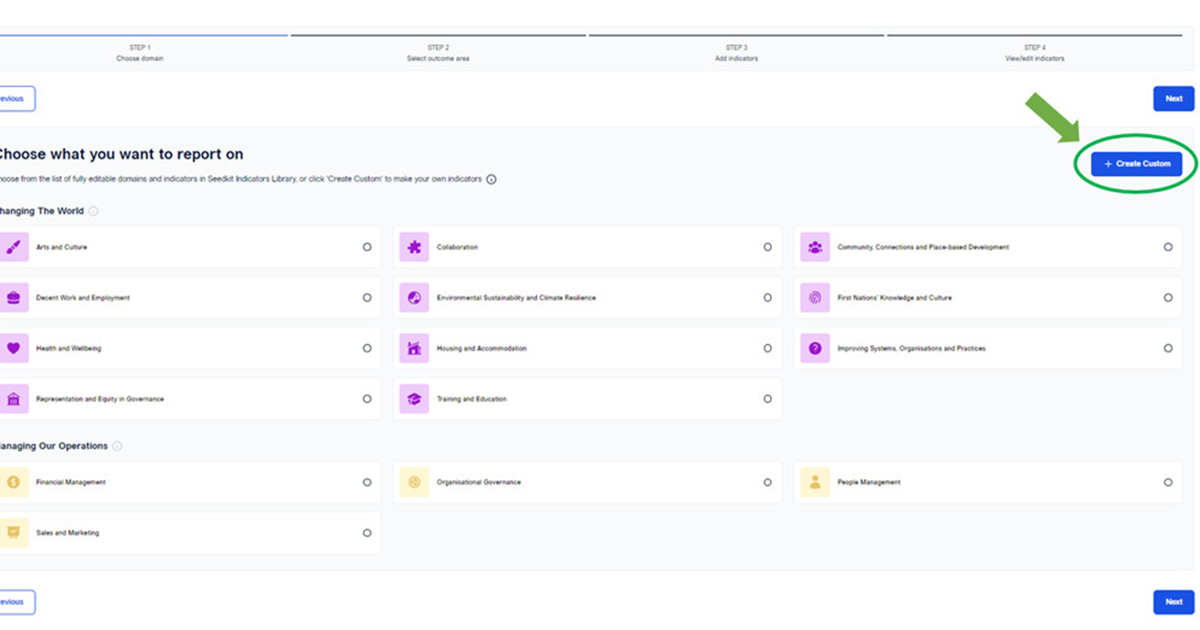
On the Seedkit Indicators Library domain page, you can create a custom indicator directly using the 'Create Custom' button. Click on the button and fill out the Indicator Settings form to set up your indicator.
Alternatively, you can select a domain and outcome area from the Seedkit Indicators Library and see the set of default indicators before creating your custom indicator.
From the page to add indicators, you will be able to create a custom indicator for either/all of the Inputs, Outputs and Outcomes using the text field under the menu tabs. Simply write in the name of your custom indicator and press the '+ Add' button. Fill out the Indicator Settings form to add this indicator to your list.